
How to Apply an Ostendo Freeway Licence Key

- When you receive your licence key by email from Development-X, save the attached file to a safe location. We recommend creating a 'Licence Key' folder in your Ostendo root directory.
Server
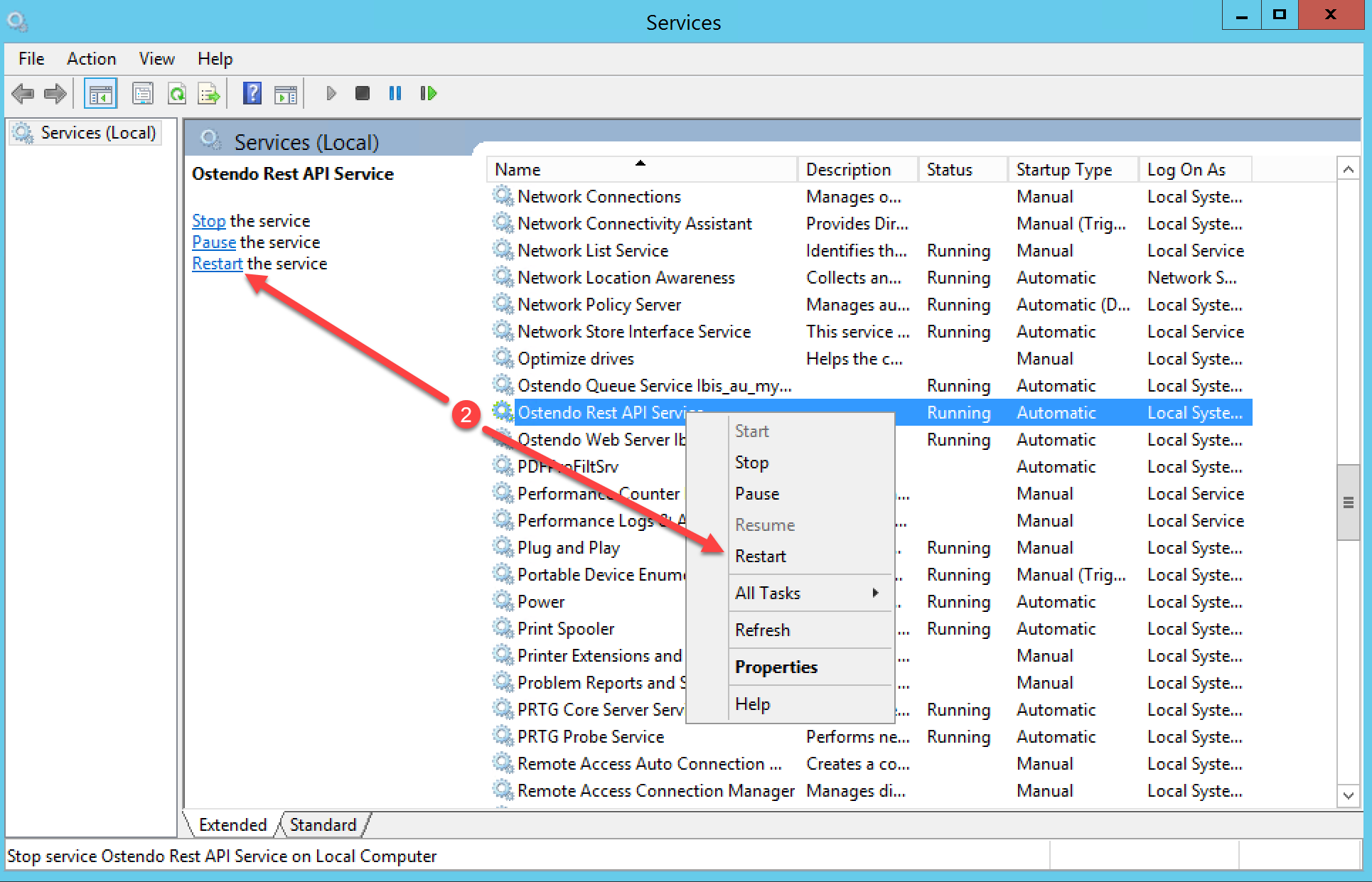
- On the server, navigate to Services and select the Ostendo Rest API Service
- Stop the Ostendo Rest API Service
Ostendo
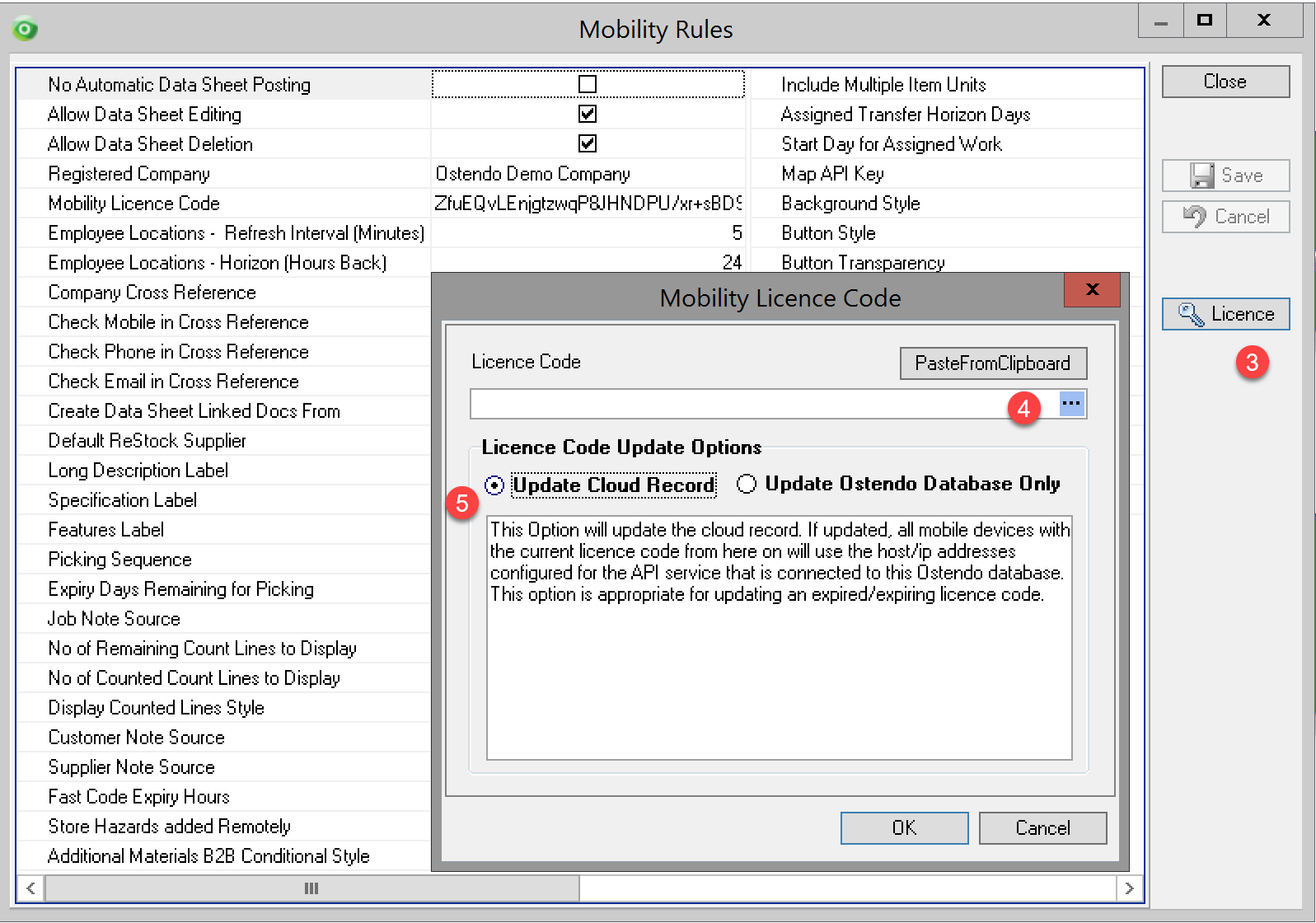
- Navigate to Mobility>Settings>Mobility Rules to open the Mobility Rules screen..
- Click on the 'Licence' button and navigate to where you saved the licence key file.
- Double click the file or click the 'Open' button and your licence key is applied.
- Select the radio button to 'Update Cloud Record' before clicking OK
Server
- On the server, navigate to Services and select the Ostendo Rest API Service
- Start the Ostendo Rest API Service